DeLog: Week 7 Animation and Time
In game development, the difference between a static environment and a living world is Time. Week 7 of the Skills Bootcamp was an intensive dive into the mechanics of motion, pushing my mathematical logic and C# skills to create dynamic, fluid experiences.
This week, I moved beyond simple "teleporting" of objects and began mastering the nuances of interpolation and procedural movement using the Unity Animation tab, the industry-standard Blender and DOTween.
1. The Unity Animation Pipeline
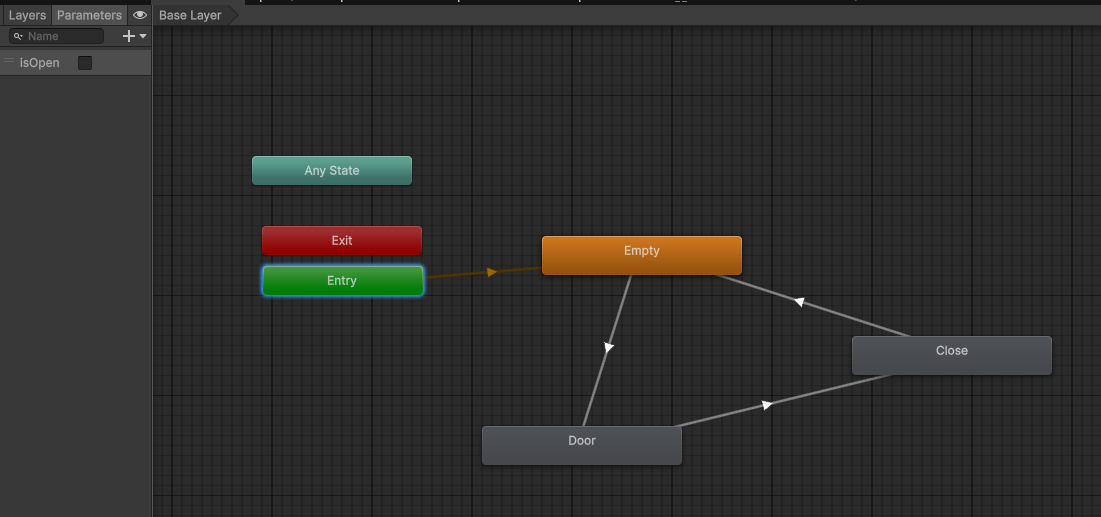
I started by utilizing the built-in Animation Tab and Animator Controllers. This is essential for creating complex, state-dependent animations.
Keyframe Animation: Crafting precise movements for environmental assets, ensuring that transitions are smooth and physically believable.
State Machine Logic: Building robust Animator Controllers using Animation Parameters (Floats, Bools, and Triggers). This allows the code to "talk" to the animation system—for example, a C# script telling the Animator exactly when to transition from a 'Walk' to a 'Run' based on the player's velocity.
2. Programmatic Animation with DOTween
While the Animator is great for character cycles, professional developers often turn to tweening engines for UI, juice, and modular movement. I integrated DOTween, a powerful asset that allows for "Animation via Programming."
Why I utilized DOTween over standard Lerping:
Efficiency: Standard
Vector3.Lerpin anUpdate()loop can be expensive and messy. DOTween handles the math in a highly optimized way.Ease of Use: With a single line of code—
transform.DOMove(target, duration).SetEase(Ease.OutBack);—I can create sophisticated movement that would take dozens of lines of manual coding.Mathematical Easing: I experimented with different Easing Functions (Sine, Quad, Elastic, Bounce). Understanding the "math of motion" is crucial for "Game Feel"—ensuring a UI menu doesn't just appear, but "pops" with professional weight.
Professional Edge: In a production environment, being able to quickly prototype UI transitions or environmental moving parts via code (rather than bulky animation files) keeps the project lightweight and the codebase clean.
3. Manipulating Time: The Fourth Dimension
Working with time is a core coding challenge. I experimented with various timing features in Unity to control the flow of gameplay:
Coroutines vs. Invoke: I deepened my use of
IEnumeratorandyield returnto handle sequential events, such as a delayed explosion or a phased tutorial sequence.Time.deltaTime: Ensuring all motion is frame-rate independent. Whether a player is running at 30fps or 144fps, my animations and logic now move at a consistent speed—a non-negotiable standard for professional software.
Time Scaling: Experimenting with
Time.timeScaleto create "hit-stop" effects and slow-motion moments, providing high-impact visual feedback during critical gameplay interactions.
4. Mathematical Implementation
This week pushed me to apply mathematical concepts directly to my C# logic:
Normalized Time: Using $0$ to $1$ ranges to calculate progress along a path.
Sinusoidal Movement: Using
Mathf.Sinto create natural, oscillating "bobbing" effects for floating pickups without needing a single keyframe.
Reflection: Adding the "Polish" Layer
Animation and timing are where the "math" of game dev meets the "magic." By combining the structural reliability of the Unity Animator with the programmatic flexibility of DOTween, I have moved from making objects move to making them act.