DevLog: Week 5 Gameplay Scripting
This week, the focus shifted from just making things work to making them clean, organized, and professional. In the industry, code is a communication tool. You aren't just writing for the computer; you’re writing for your teammates (and your future self).
I focused on three main areas: better logic, smart debugging, and professional layout.
Making Smarter Decisions
Instead of using long, messy lists of if/else statements (often called "spaghetti code"), I started using more organized patterns:
Enums and Switch Statements: I used Enums to name different states (like
Idle,Walking,Jumping). Using a Switch Statement to check these states makes the code much easier to read and prevents bugs.Guard Clauses: This means checking for errors at the very start of a function and "exiting early" if something is wrong. It keeps the main part of the code simple and easy to follow.
Professional Debugging
When code breaks, a professional developer doesn't just guess what's wrong. I practiced using the "detective tools" built into Unity and Visual Studio:
Breakpoints: I learned how to "pause" the game on a specific line of code. This lets me look at the exact value of every variable at that moment to see where things went wrong.
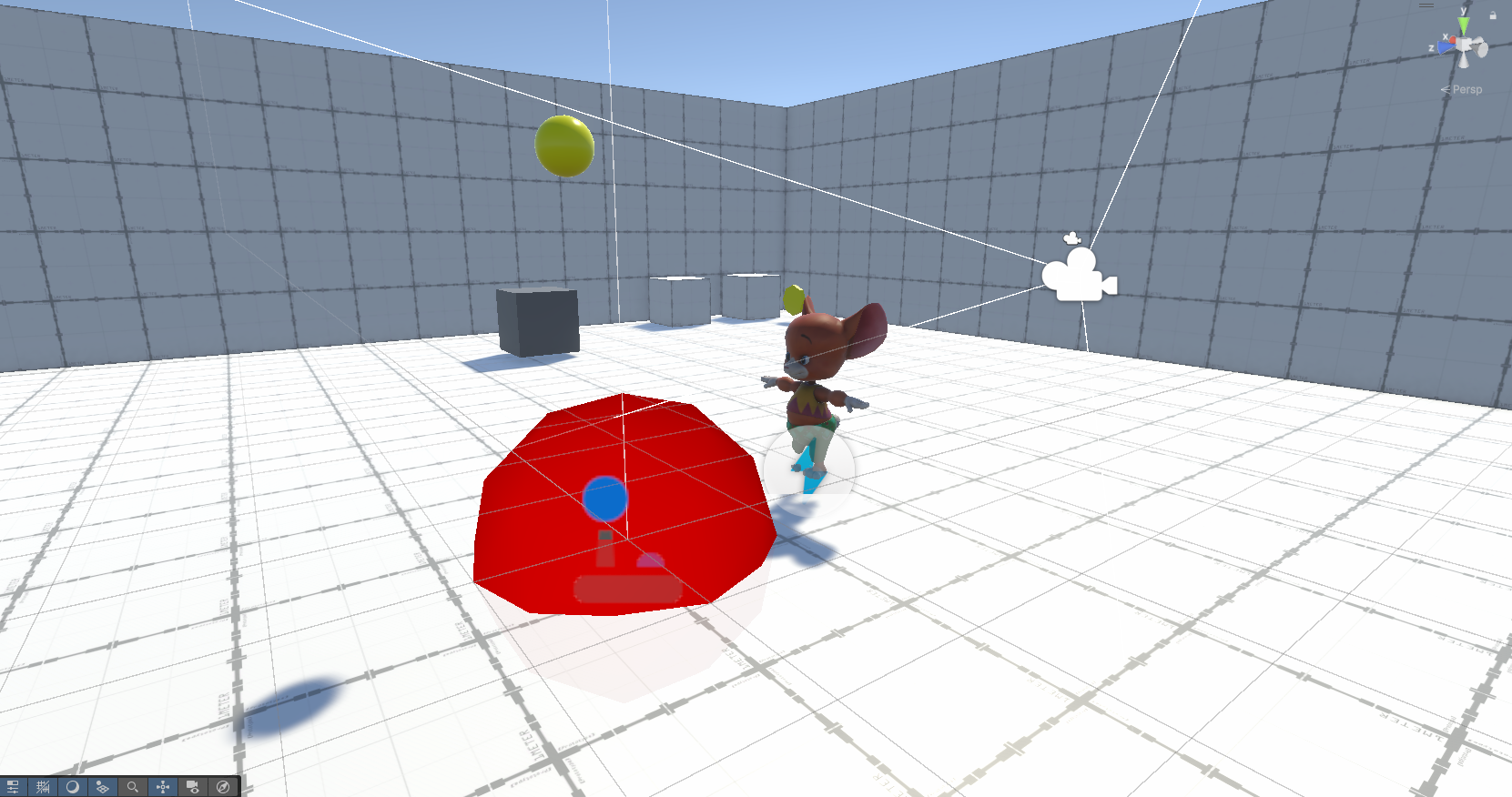
Visualizing Logic (Gizmos): Sometimes you need to "see" what the code is thinking. I used
OnDrawGizmosto draw lines and shapes in the editor. For example, I can draw a red sphere around an enemy to show exactly how far it can "see."
Clean Layout and Organization
In a real studio, your code needs to be tidy. I practiced "Industrial-Grade" formatting:
Naming Rules: I used standard naming (like
_variableNamefor private items) so any other programmer can understand my work instantly.Inspector Organization: I used attributes like
[Header("Movement Settings")]. This adds clear labels inside the Unity Inspector, making it much easier for a Game Designer to tweak the game without touching the code.Comments & Summaries: I added
<summary>tags to my functions. Now, when you hover over a function name in the code editor, a little box pops up explaining exactly what that function does.
Reflection: Coder vs. Developer
The biggest lesson this week was that clean code is fast code. When your work is organized, you spend less time fixing mistakes and more time building fun features. I’m moving away from just "getting it to work" and toward building solid, professional foundations.
Technical Milestone: I refactored my player controller to use a State Machine, reducing 50 lines of messy if statements into a clean, readable system that is easy to expand.